Your sky,
on your desk.

A standalone flight radar on a single ESP32 board with a touchscreen. Every aircraft around you with routes, airline logos, photos and flyover alerts - plus rain, airspace, harbour ships and the ISS if you want them. After the first day your local map even renders with no internet at all.

no serverno subscriptions no accountsopen source, MIT
esp32flight on an Android tablet
esp32flight on the ESP32 board
One core, two homes: a $15–35 ESP32 board or any Android tablet since 5.0.
NEW · 0.4.5 The community update: aircraft photos restored, night mode untangled, a phosphor map under the retro sweep, Fahrenheit, local-receiver fixes and two boards graduating from beta. Release notes →
~10 scold boot to live traffic
$15–75one board, no extras
10 + 📱board configs + Android build
3ADS-B networks, merged live
0required accounts or API keys
MITlicense

Everything a window seat wishes it knew

Point it at your Wi-Fi and it starts talking directly to open, free data networks. Your location and history never leave the device.

Live radar of your sky

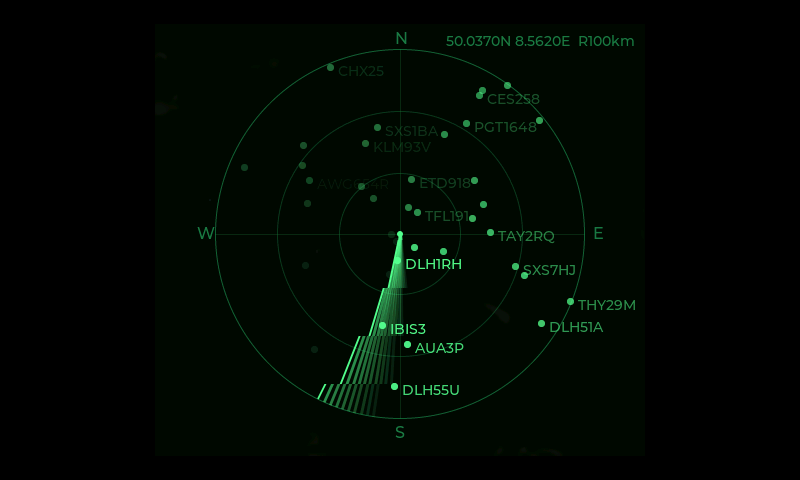
Aircraft within 2–460 km, merged live from three community ADS-B networks (or your own dump1090 antenna). List, detail card, zoomable real-map radar, session stats and a phosphor retro CRT view.

🗺Who, where, whither

Airline with logo, route with cities and flags, progress bar, photo of the exact airframe, ETA in the destination's local time and a spotter line telling you where to look. Routes are position-verified, cross-checked between databases and evicted the moment the flight contradicts them.

🌊More than planes

Optional layers, each one switch: rain radar, airspace zones, weather balloons, harbour ships with destinations, and the ISS when it crosses your sky.

🔔Alerts that find you

Emergency squawks, watchlist hits and „passes over you in ~3 min” pushed to your phone via ntfy.sh; webhooks for Node-RED and n8n; Home Assistant sensors over MQTT.

🖥A real web panel

Every setting in the browser, a live map, spotting history, Prometheus metrics and a documented JSON API with a full data-model reference.

🔧Honest engineering

Hackable C on ESP-IDF with an Android build of the same core for retired tablets. Aviation or metric units, English and Polish, 7 themes, OTA updates with a wrong-board guard, offline map cache, and a wiki that documents every switch.

Screens

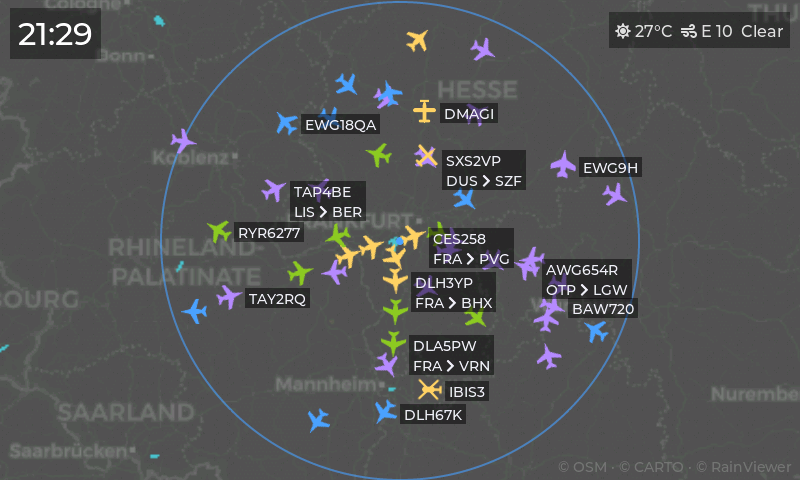
Straight off the device - real captures, real traffic (the radar spent this week visiting Frankfurt, Rotterdam and Taipei).

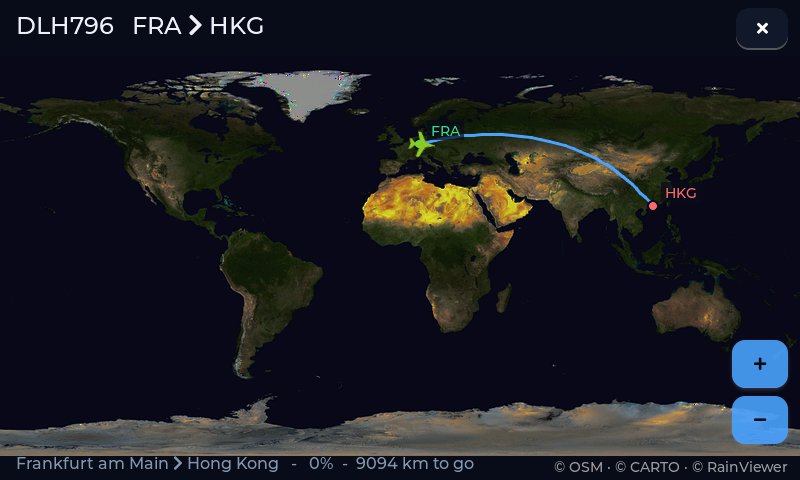
route map Frankfurt to Hong Kong
Half a globe on 800×480: Lufthansa to Hong Kong, live position, rain on the way
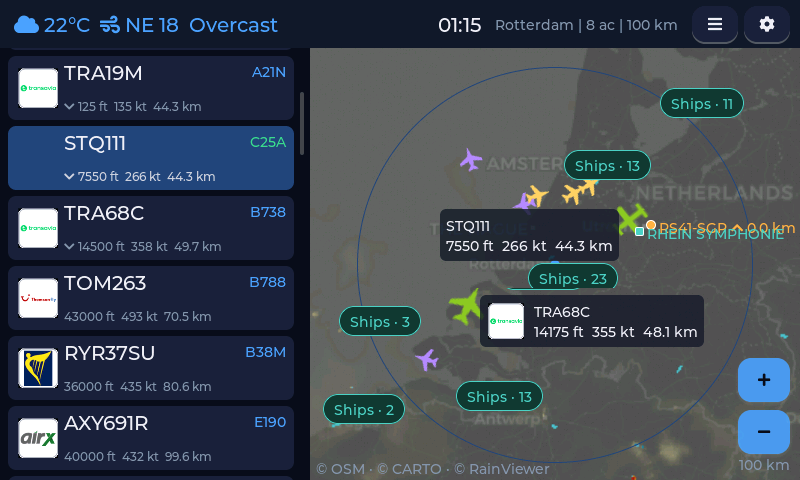
radar with ship clusters near Rotterdam
Radar over Rotterdam: tappable planes, harbour ships collapsing into cluster badges
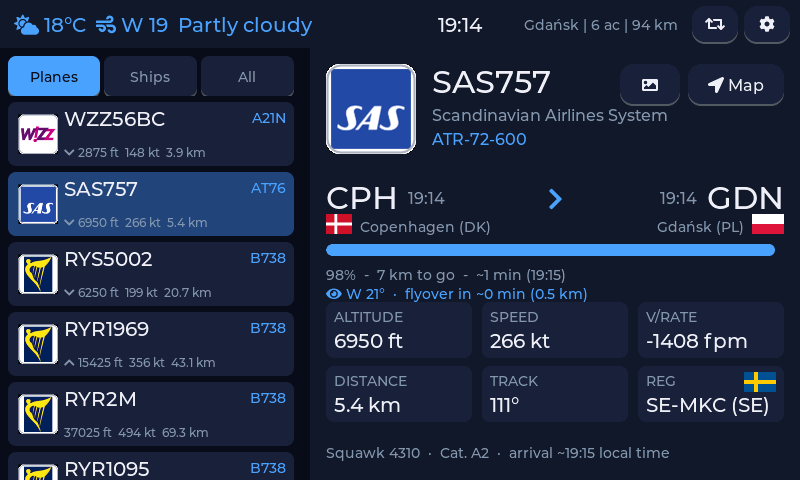
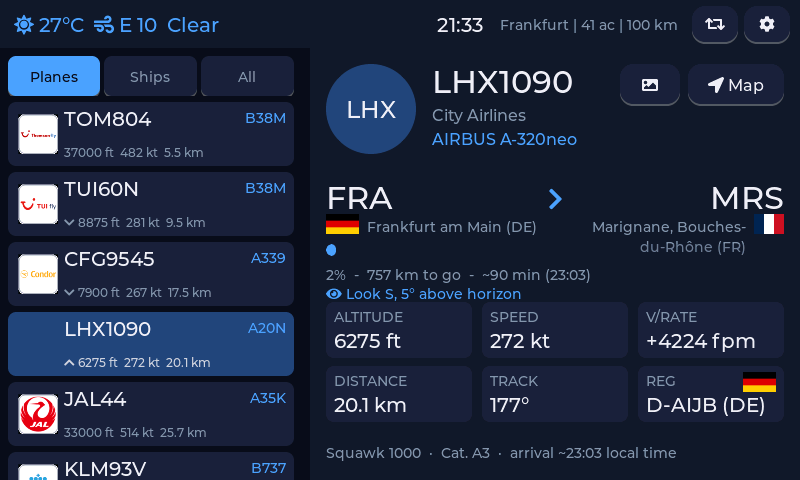
flight detail card
The flight card: route, progress, spotter line and the stats that matter
ambient screensaver
Ambient screensaver: your observation circle, every aircraft, clock and weather
retro screensaver
Or the retro CRT as a screensaver, sweeping all night
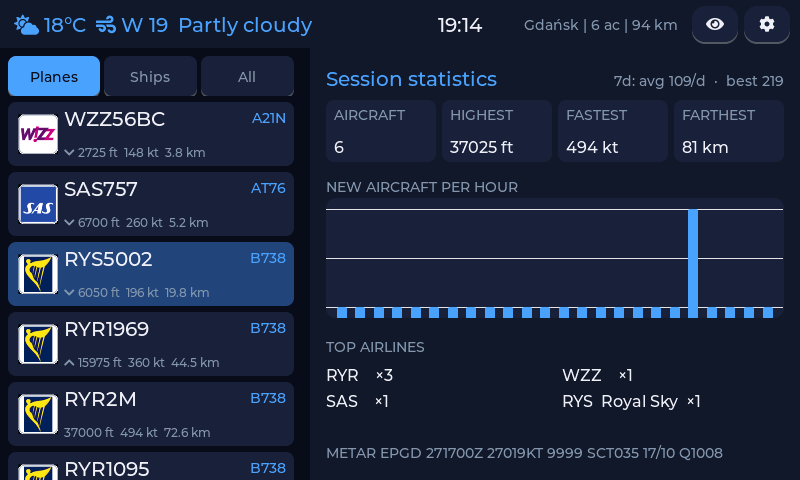
session statistics
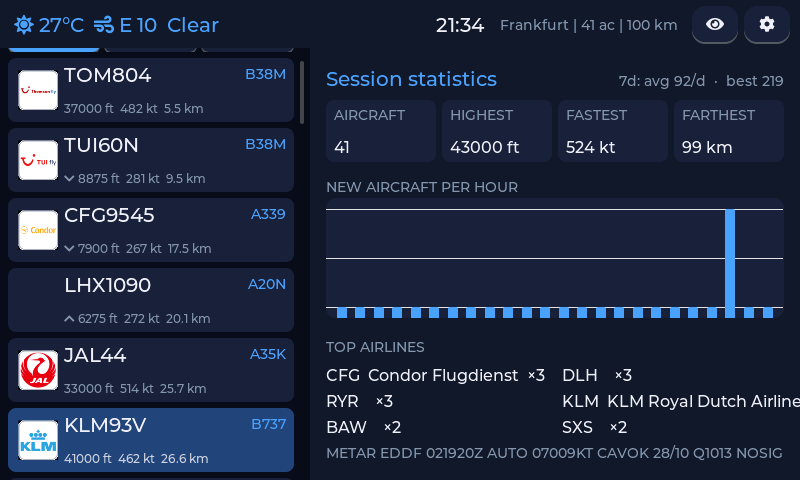
Session stats: records, hourly chart, top airlines, METAR raw or decoded
ship detail card
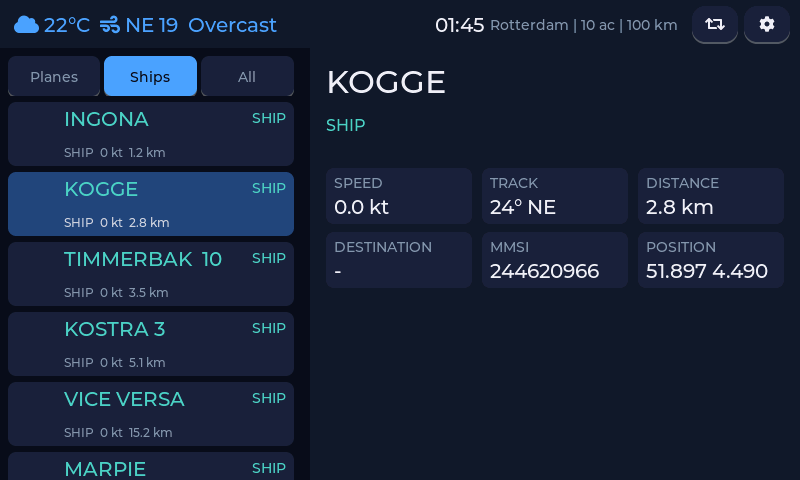
Ships get full cards too: destination, speed, MMSI - one list for sky and sea
aircraft photo
The exact airframe, courtesy of planespotters.net
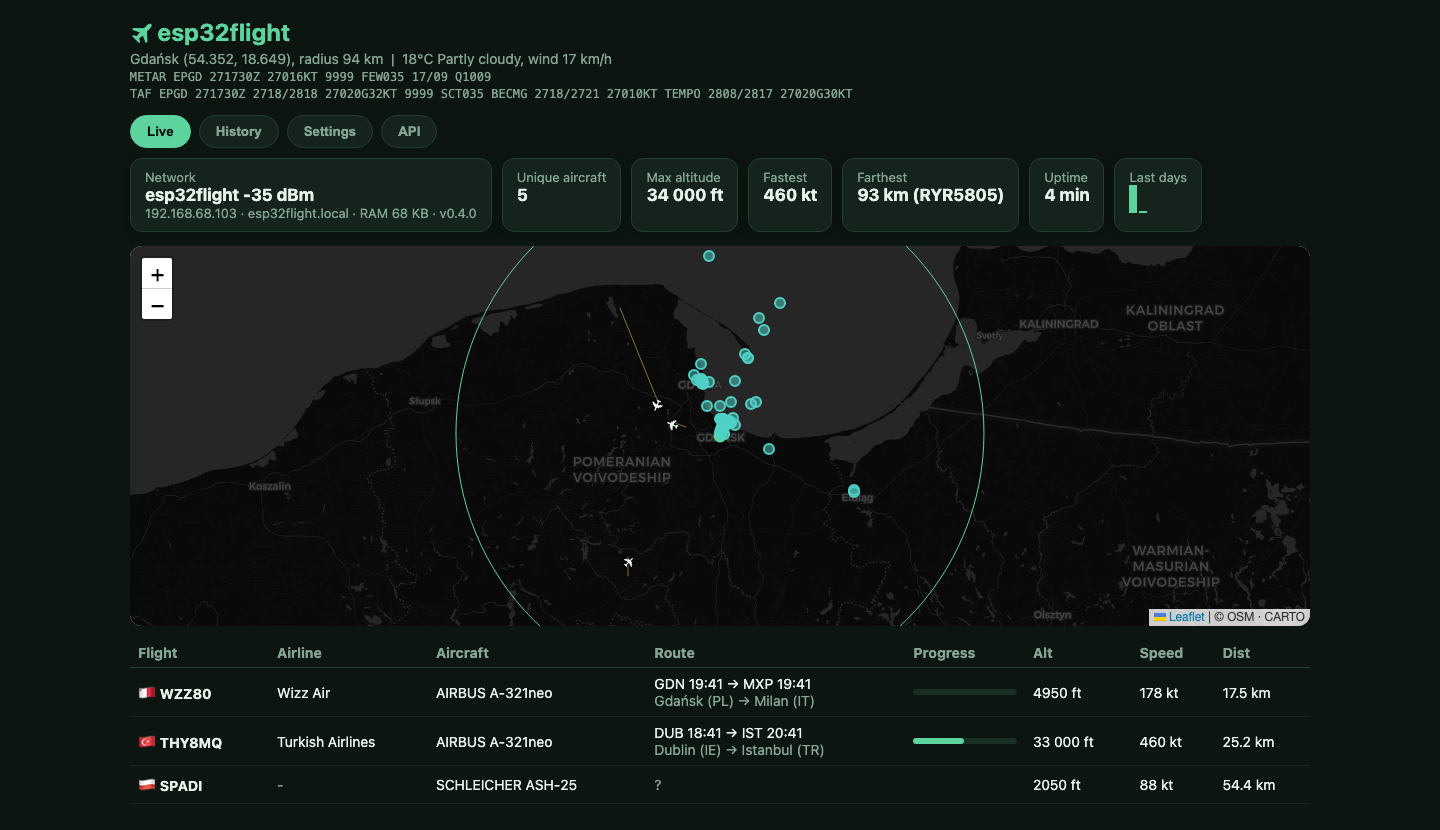
web panel
The web panel: live map, history, backup and every setting

Hardware

One board, a USB-C cable and Wi-Fi. No soldering, no extra parts, nothing to assemble.

BoardScreenPriceNotes
Waveshare ESP32-S3 Touch LCD 77″ 800×480about $35the original target, best tested
Waveshare ESP32-S3 Touch LCD 4.3 / 4.3B / 54.3–5″ 800×480about $2016 MB build, or 8 MB for N8R8 units
Waveshare ESP32-S3 Touch LCD 7B7″ 1024×600about $40sharpest panel, real brightness control
Guition JC8048W5505″ 800×480about $15the budget pick
Sunton ESP32-4827S043 (C or R touch)4.3″ 480×272about $15community-contributed; UI downscales cleanly
Sunton ESP32-8048S070 and clones7″ 800×480about $22colors and centering bench-tuned by the community
Elecrow CrowPanel 5.05″ 800×480about $254 MB class: updates via the flasher, logos on demand
Elecrow CrowPanel 7.0 and 7″ Amazon rebrands7″ 800×480about $304 MB class; most unbranded Amazon 7″ boards are this
Waveshare ESP32-S3 Touch LCD 7C BOX7″ 800×480about $70enclosure, battery and audio hardware on board
BigTreeTech Panda Touch5″ 800×480about $75the Bambu pendant reborn; replaces its stock firmware
M5Stack Tab55″ 1280×720about $60ESP32-P4, portable with a battery; all three panel generations
Elecrow CrowPanel Advance 7.0 (V1.2+)7″ 800×480about $35the newer Advance series, real backlight dimming
Guition JC8012P4A110.1″ 800×1280about $40ESP32-P4, the biggest screen of the fleet

Not sure about your flash size? Check the metal module: N16R8 = 16 MB, N8R8 = 8 MB, N4R8 = 4 MB. Unbranded 7″ board? See the identification hint under the flash buttons. An old Android tablet (5.0+) works too - same firmware core, packaged as an APK. New boards hatch on the test builds page - right now that is where the CrowPanel Advance 7.0, the 10.1″ JC8012P4A1 and the Panda Touch live until the next release.

Install in two minutes

Connect the board over USB, click Install, pick the serial port. Everything - firmware, airline logos, maps, airport database - is written in one go. Chrome or Edge on desktop required (Web Serial).

16 MB boards: Waveshare 7 and most others
8 MB boards: Waveshare 4.3 with the N8R8 module
Guition JC8048W550
Waveshare 7B (1024×600)
Sunton ESP32-4827S043 (4.3", capacitive)
M5Stack Tab5
Sunton ESP32-8048S070 (7″) and clones
Waveshare 7C / 7C BOX
BigTreeTech Panda Touch (replaces the Bambu-remote firmware; back it up first)
Elecrow CrowPanel 7.0 and 7″ Amazon rebrands (4 MB: updates via this flasher, no OTA)
Elecrow CrowPanel Advance 7.0 (DIS02170A, hardware V1.2 and up)
Guition JC8012P4A1 10.1″ (panel revision V1; V2 lives on the test page)

Unbranded 7″ board and not sure which of the two it is? Sellers ship both designs under identical listings. Read the metal ESP32 module on the PCB: N16R8 = the Sunton build, N4R8 = the CrowPanel 7.0 build. A genuine Sunton also has "8048S070" printed on the board. Picked wrong? Nothing breaks - the screen just stays black; flash the other one.

Updating? Leave Erase device unchecked and your Wi-Fi and settings survive. Check it only for a first install.

Android instead? Grab esp32flight-v0.4.5.apk from the latest release. After the first flash, updates go over the air from the device's web panel.
Read the manual (there actually is one)

📖The wiki

Every screen, every switch and every integration documented with real screenshots: getting started, boards, layers, updating, FAQ.

🔌HTTP API

Everything the panel shows is plain JSON on port 80: state, config, backup, Prometheus metrics, live screenshots. Curl examples included.

🧪Test builds

Experimental firmware for people helping chase specific problems - flashed from the browser, settings survive, going back is one click.

Data it stands on

Community ADS-B (airplanes.live, adsb.lol, adsb.fi) with routes cross-checked against the aircraft's real position; maps by CARTO © OpenStreetMap contributors; rain by RainViewer; weather by Open-Meteo; METAR/TAF from aviationweather.gov; photos by planespotters.net; balloons by SondeHub; ISS by wheretheiss.at; ships by aisstream.io and airspace by openAIP (the last two with your own free keys). The full field-by-field reference lives in DATA-MODEL.md.

Keep the boards coming

esp32flight is free and open source. Every supported display got here because a physical board landed on my desk - a coffee on Ko-fi funds the next port.

☕ Support the project on Ko-fi